Introducing goppo — A Private Workspace for Your Notes, Ideas, and Community
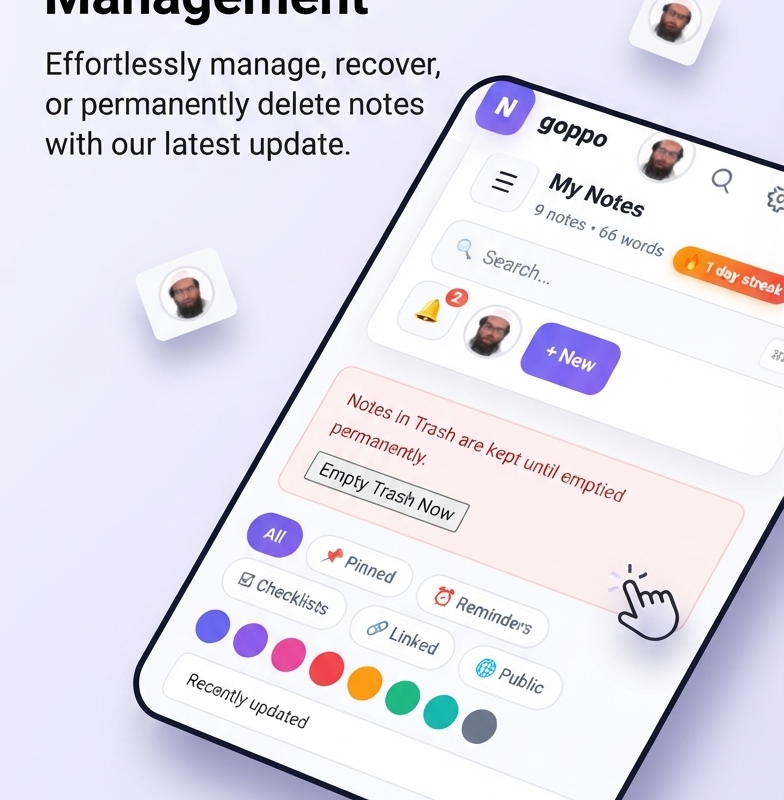
Today, I’m excited to share goppo — a workspace that brings together everything you need to think clearly, write freely, and stay connected. No subscriptions. No ads. No tracking. Just your notes, your conversations, your community.
Over the past few months, I’ve been building this platform. Not because we needed another productivity app, but because the ones we have stopped respecting us. They bury our thoughts under notifications, lock our data behind paywalls, and treat us as products to be sold. So I built the opposite.
What is goppo?
goppo is a complete digital workspace. It combines four things people usually pay for separately:
- 📝 A modern notes app — Write, organize, and connect your ideas with a dashboard that feels like a premium product.
- 💬 Real-time chat — Direct messages, group conversations, reactions, voice notes, and video calls. All private between you and the people you choose to talk to.
- 🌐 A community space — Share public notes, discover what others are writing, and build reputation through contributions.
- 📱 A mobile app — Install goppo to your phone’s home screen and it behaves like any other app. It even works offline.
It’s not a collection of separate tools duct-taped together. It’s one experience, designed with care, built to be fast and beautiful on every device.
Why I built it
The tools we use every day should feel like a quiet room where you can think. Most don’t. They’re loud, cluttered, and manipulative.
I wanted to build something different:
- Fast on any device. Works beautifully on a five-year-old phone with a slow connection.
- Keyboard-first. Every action has a shortcut. A command palette lets you jump anywhere with a single keystroke.
- No dark patterns. No “upgrade to unlock,” no infinite scroll, no engagement algorithms. Just tools that respect your attention.
What you can do today
✍️ Write and organize notes
Create notes with rich formatting — headings, checklists, tables, callouts, code blocks, images. Organize them into folders, tag them, pin the important ones, and link them together with [[wiki-style]] references. Switch between four views: Grid, Kanban board, Calendar, or Timeline — whichever matches how your brain works that day.
💬 Talk to your people
Send direct messages or start group chats. React with emojis, reply to specific messages, pin important ones, search through old conversations, and send voice notes by holding a button. When you need face-to-face, start a video call with one click.
🌐 Share with the community
Publish any note publicly and it becomes part of the community space. Others can read, react, comment, and follow you. There’s a leaderboard, trending page, tag explorer, and public profiles with reputation points and badges. It’s a small, respectful corner of the internet — not a feed optimized for outrage.
📱 Install it on your phone
goppo is a Progressive Web App. Visit it in your phone’s browser, tap “Add to Home Screen,” and it installs like a native app. It opens full-screen, works offline, and can send you push notifications when someone messages you — even when the app is closed.
Small details that matter
Some of my favorite parts aren’t the big features — they’re the quiet ones:
- Six carefully designed themes — Default, Nord, Dracula, Solarized, Gruvbox, and Mono. Each works beautifully in both light and dark mode.
- Streak celebrations — Write for 7, 30, 100, or 365 days in a row and confetti rains down. Silly, but it works.
- Daily writing prompts — Every morning a new question appears on your empty dashboard: “What’s one thing you learned today?” One tap opens the editor with the prompt ready.
- A command palette — Press Ctrl + Shift + P anywhere and jump to any note, folder, or feature by typing.
- Native mobile gestures — Swipe to delete, long-press to select, vibration feedback on tap. It feels like a native app.
- Offline mode — Lose your connection and a soft badge appears at the top. Come back online and it disappears. Nothing breaks.
What comes next
This is only the beginning. On the roadmap:
- Advanced search with query syntax like
tag:work author:me is:pinned - Offline editing — write notes on a plane and sync when you land
- AI-powered helpers — auto-tagging, title suggestions, duplicate detection. All optional and local.
- Rich blog — long-form articles with reactions, bookmarks, and reading progress.
- Video calls built directly into the chat, no more new tabs.
Start using it
You can create an account right now. It takes thirty seconds:
If you’re already signed in, your workspace is waiting at goppo.xyz/my-notes. Bookmark it, install it to your home screen, and make it yours.
A note on privacy
Everything you write stays between you and this server. There’s no third party involved. Your notes aren’t scanned, your messages aren’t read, and nothing is sold. The whole platform runs on our own hardware — no external services, no hidden costs.
If you ever decide to leave, you can export every note, every conversation, and every file. Your data was always yours; we just help you organize it.
Thanks for reading. If you try goppo and like it — tell a friend. If something feels off, tell me. The whole point is to build tools that respect the people using them.
— The goppo team
Nice
Helpful.
Thanks