For Physicians: How to Use Our Tissue Salts Reference Tool
For Physicians: How to Use Our Tissue Salts Reference Tool
A practical walkthrough of the Goppo Tissue Salts tool — quick lookups, symptom checking, monographs, and patient-ready remedy plans.
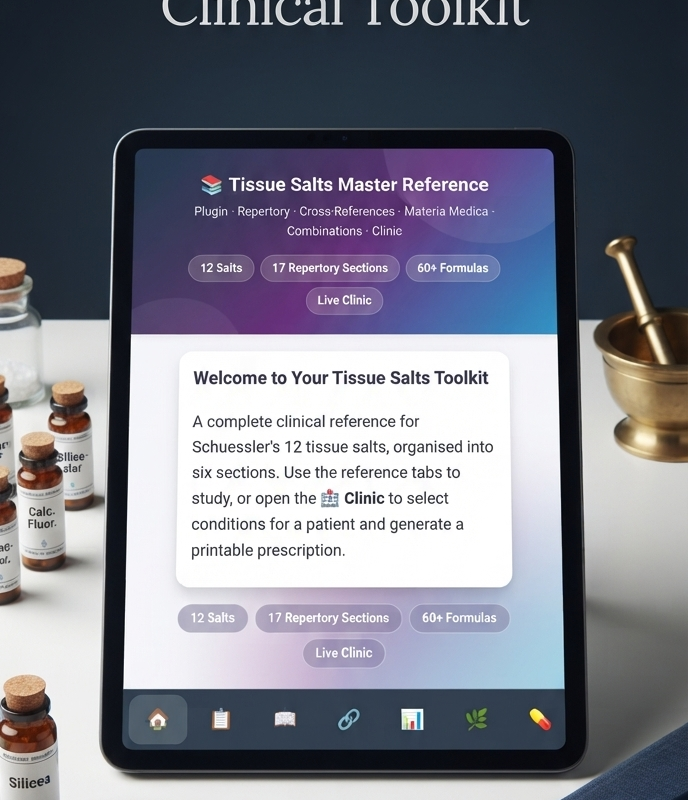
Welcome to our website. We’ve integrated the Goppo Tissue Salts tool to give physicians like you a fast, reliable way to reference the 12 Schuessler cell salts during consultations or for patient education.
This manual will walk you through the tool’s features and show you how to use it efficiently in your practice.
1What Is This Tool?
The Goppo Tissue Salts tool is a web-based reference for the 12 tissue salts. It provides:
- Traditional uses and keynote symptoms for each salt
- General dosage guidelines (acute and chronic)
- A symptom checker to suggest salts based on presenting complaints
- A remedy builder to create and print simple plans for patients
It is not a diagnostic tool, prescribing system, or electronic medical record. It’s a quick-reference companion designed to save you time and support your clinical decisions.
2How to Access the Tool
The tool is available directly on this website. You can find it:
- In the main menu under “Tissue Salts” or “Resources”
- Via the direct URL: https://goppo.xyz/tissue-salts
- On mobile devices — the interface is fully responsive
No login is required to browse the reference. If you wish to save favourites or build remedy plans, you may need to create a free account (if enabled on our site).
3Interface Overview
When you open the tool, you’ll see a clean dashboard with these main areas:
| Section | Purpose |
|---|---|
| Search Bar | Look up any salt by name or number (1–12) |
| Symptom Checker | Tick symptoms to get suggested salts |
| Salt Library | Browse all 12 salts in a grid or list |
| Detail Panel | Click any salt to view full monograph |
| Favourites | Save frequently used salts |
| Remedy Builder | Combine salts into a plan and export/print |
| Settings | Adjust units, language, and display preferences |
4Using the Tool in Clinical Practice
4.1 Quick Lookup During a Consultation
A patient mentions they’re taking “Mag Phos” or asks about a specific salt. Simply type the name into the search bar. The detail panel opens instantly with traditional uses, dosage, and keynotes. You can keep this open on a second screen or tablet for rapid reference.
4.2 Symptom Checker
Click Symptom Checker and tick the patient’s presenting symptoms (e.g., cramps, anxiety, congestion, heartburn, skin eruptions). The tool suggests one or more traditionally associated salts. Click any suggestion to read the full monograph.
Remember: This is a traditional reference, not a diagnostic algorithm. Always correlate with your own clinical assessment.
4.3 Reviewing a Monograph
Each salt page includes:
- Traditional uses — what the salt is commonly used for
- Keynote symptoms — specific indicators
- Dosage guidelines — acute and chronic, in tablets/pellets/drops
- Related salts — often used in combination
- Cautions — if any
Use this to confirm indications and check dosages before recommending.
4.4 Building a Remedy Plan
The Remedy Builder is your prescribing workspace:
- Click Add Salt and select from favourites or search.
- Set a schedule (e.g., “4x daily” or “every 30 minutes for acute symptoms”).
- Add custom notes for the patient (e.g., “dissolve under tongue”).
- Save the plan.
- Print or Export as PDF to give to the patient or attach to their file.
You can also save plans as templates for common presentations.
4.5 Favourites
Star the salts you use most often. They’ll appear at the top of your list for quick access.
5Clinical Workflow Examples
Case 1Recurrent muscle cramps
- Search “Mag Phos” or use Symptom Checker → tick “cramps.”
- Review the monograph and traditional dosage.
- Add to Remedy Builder: “Mag Phos 6X, 2 tablets dissolved in hot water, 4x daily.”
- Print the plan for the patient.
- Document in your notes: “Discussed tissue salt options; patient to trial Mag Phos.”
Case 2Anxious patient asking about natural remedies
- Symptom Checker → tick “anxiety,” “nervous tension,” “fatigue.”
- Tool suggests Kali Phos and possibly others.
- Review monographs and select the most appropriate.
- Build a plan with clear instructions.
- Emphasise that this is complementary and not a replacement for any prescribed treatment.
Case 3Acne or skin eruptions
- Search “Calc Sulph” or “Silicea.”
- Review traditional uses and dosage.
- Consider combining with Kali Mur if indicated.
- Use Remedy Builder to create a simple regimen.
- Provide the printout and advise follow-up.
6Important Notes for Physicians
- Not a diagnostic tool — The tool does not diagnose or prescribe. It is a reference.
- Traditional evidence — Tissue salts are based on traditional use, not robust clinical trials. Discuss this with patients as appropriate.
- Dosage verification — Always double-check dosages against your own knowledge and local regulations.
- Scope of practice — Use within your professional scope. If you are not trained in homeopathy or tissue salts, consider referring to a colleague or using the tool only for patient education.
- Adverse effects — Tissue salts are generally considered safe, but document any advice given and advise patients to report unusual symptoms.
7Troubleshooting
The tool is slow during consultations.
- Ensure you have a stable internet connection.
- Use a lightweight browser tab or mobile device.
- Pre-load common salts into Favourites.
I can’t find a specific salt.
- Check spelling; try the number (1–12).
- Refresh the page to reload the library.
Remedy Builder won’t save.
- Confirm you’re logged in (if required).
- Check for any plan limits.
- Try a different browser or clear cache.
I need to share a plan with a colleague.
- Use the Export PDF function and email it securely.
8FAQ for Physicians
Can I use this to prescribe for my patients?
It’s a reference tool to support your prescribing decisions. You remain responsible for the final recommendation.
Is the dosage information reliable?
It reflects traditional guidelines. Always verify with your own sources and adjust as needed.
Can I add my own notes or salts?
Currently the tool has a fixed library of 12 salts, but you can add notes in Remedy Builder.
Does it integrate with my EMR?
Not directly. Use copy-paste or PDF export.
Is there a physician-specific mode?
Not at present, but the settings allow you to tailor units and defaults.
9Getting Help
If you encounter technical issues or have questions about the tool:
- Visit the official Goppo page: https://goppo.xyz/tissue-salts/
- Contact us through the website’s Support or Contact page.
Final Word
The Goppo Tissue Salts tool on this website is here to support your clinical workflow — quick lookups, patient handouts, and easy reference. Use it as an adjunct to your expertise, not a replacement. We hope it saves you time and helps you give patients consistent, clear information about cell salts.
This manual is based on the standard features of the Goppo Tissue Salts plugin. For the most current instructions, please refer to the official Goppo page or contact our support team.
↑ Back to top
Nice programs!
Welcome!